

Turn Your Ideas Into Scroll-Stopping Carousels.
Strategy. Design. Content. All in one place. Built for creators, coaches, consultants and businesses.
Choose a plan to start. Billed monthly, renews automatically, cancel anytime.
Elixzor AI
On Instagram · Burnt ad budgets don't bring sales
Swipe for more. Tap to step through a post.
- Plans your monthA theme for every posting day.
- Writes and designsIn your tone, colours and logo.
- You approve firstNothing goes out until you say so.
- Posts on scheduleInstagram, LinkedIn, Facebook, X.
This is notanother design tool.It’s your contentteam.
It plans your month, writes every caption, designs every slide and posts what you approve.
Three clicks a month.
Plan the themes. Generate the posts. Approve. Then they go out at your times, even while you’re busy.
Sample month · a fictional dental clinic
1ThemesGenerate themes2PostsGenerate posts3ApproveApprove allMon 6
Empty day 1/5
Wed 8
Empty day 1/5
Fri 10
Empty day 1/6
Mon 13
Empty day 1/5
- One click plans a theme for every posting day.
- Then every post is written and designed in your brand.
- Nothing goes out until you approve it.
- Then it goes out on schedule. Here it is, live.
Your calendar
Posts go out while you’re busy.
Pick the days and times your customers are on their phones. Every approved post publishes itself at its time, to Instagram, LinkedIn, Facebook and X. You can be with a client, or asleep.

Inspiration
Love a post you saw? Make yours in that look.
Paste the link to any Instagram carousel. CONRA reads its colours, type, layout, lighting and mood, keeps it in your Inspiration library, and builds your next post the same way, with your words and your brand.
1 · The post you saw
2 · What CONRA reads
Colours, measured from the pixels
Background
……
Text
……
Accent
……
And its style
- Type style · headline and body, placement, emphasis
- Layout · how each slide is composed
- Lighting and contrast
- Mood
- How the images are made · photo, illustration, 3D…
- People in shot
- How much text
Kept in your Inspiration library
3 · Your post, in that look

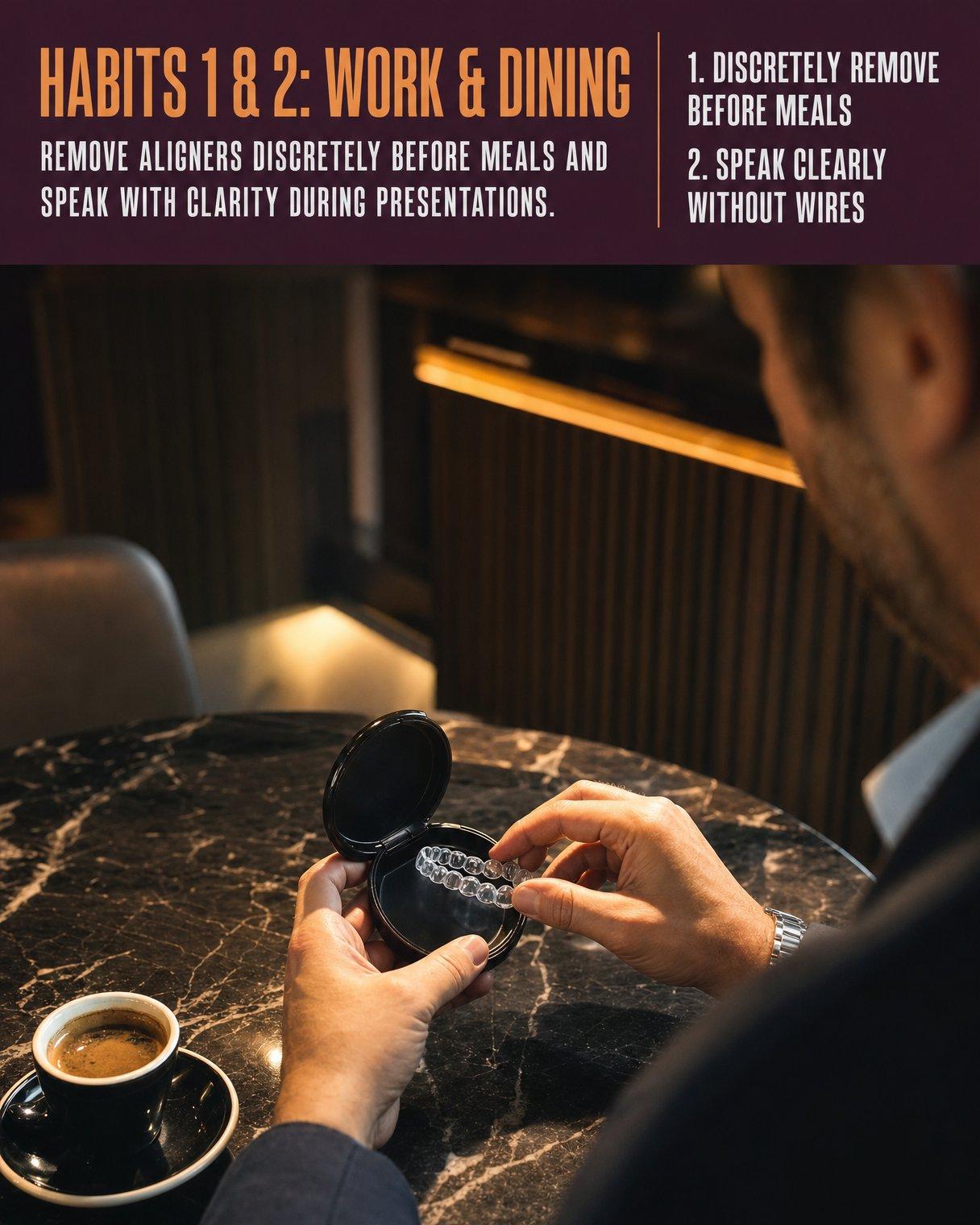



dentalwise 4 daily habits for clear aligners Straighten your smile without interrupting your executive routine.
Both posts were made by CONRA for a fictional clinic. The colours above are measured live from the first post’s slide.
Six ways to tell it.
Every post follows a story shape. Pick one and watch how it plays out, beat by beat, in real slides CONRA made.





dentalwise Shift-Mapped Invisalign Plans by DentalWise We engineer flexible treatment schedules that align directly around your rotation without demanding routine disruption.
AI-generated example for a fictional dental clinic
BABbefore, after, bridge
Shows life before and after, then the bridge between them.
Hook · Stops the scroll with the promise or the pain, in a few words.
The bill for a month of posts.
Answer three quick questions. See how much of your month goes on posts, by hand and with CONRA.
I posttimes a week.
By hand, one post takes me
Checking a post CONRA made takes
Every month, that’s 13 posts. You get back
9 h 19 min (96% of the time)
From your answers. Setting up CONRA takes about 8 minutes, once.
By hand
One month · 13 posts
Think of a topic× 13
Write the caption× 13
Design the slides× 13
Resize for each network× 13
Post at the right time× 13
13 posts × 45 min
Your time9 h 45 min
With CONRA
One month · 13 posts
Generate themes1 click
Generate posts1 click
Review and approve× 13
13 posts × 2 min96% back
Your time26 min
From your numbers. Setup takes about 8 minutes, once.
Plans in rupees.
Choose a plan to start. A tax invoice for every payment.
- StarterFor one brand getting consistent₹4,999+ GST a monthSlides & images~160Max slides per carousel5Social accounts1AI content strategySocial account & competitor auditMedium image qualityStandard supportSee what Starter includes
- ProFor brands that post across channelsLaunch offer₹8,999
₹9,399+ GST a monthSlides & images~245Max slides per carousel7Social accounts3Advanced AI content strategySocial account & competitor auditHigh image qualityPriority supportSee what Pro includes - ScaleFor brands that publish at volume₹12,599+ GST a monthSlides & images~400Max slides per carousel10Social accounts5Advanced AI content strategySocial account & competitor auditHigh image qualityPriority supportWeekly strategy callSee what Scale includes
Each plan covers 1 business. Everything you create draws from your monthly allowance: new carousels, single images and regenerations. Unused allowance doesn’t roll over.
Guides for your next post.
Short, practical reads on carousel hooks, story shapes and planning a month of posts in one sitting.
· 3 min read
What a clinic should post on Instagram: a month of ideas
Twelve post ideas for dental, skin and physio clinics, sorted by what each does for your practice, plus the rules that keep health posts trustworthy.
· 3 min read
How to write a carousel hook that stops the scroll
The first slide decides whether anyone sees the rest. Seven ways to write a carousel hook for a small business, with lines you can adapt.
· 2 min read
Six story shapes for carousel posts, and when to use each
A carousel works when its slides follow a shape the reader can feel. Here are the six CONRA uses, with what each is good for.
Straight answers.
Will the posts sound like my business?
They’re written from your Brand Kit: your tone of voice, your audience, what you sell and the industry you work in, with your colours and logo on every design. Change any of it later and the next posts follow.
Does anything post without my approval?
No, unless you choose that. Every post waits for your review until you switch on Publish without review in Preferences, and it starts off.
Can I change what it writes?
Yes. Change the theme of any post and edit the words on any slide. Make a post on its own and it stops after the words, so you can fix them before any image is drawn. Every version is kept, and you can restore an earlier one.
Which platforms does it publish to?
Instagram, Facebook, LinkedIn and X. Starter connects 1 account, Pro 3 and Scale 5. X shows up to four images in a post, so a longer carousel goes to X with its first four slides.
Do I have to connect my accounts to try it?
No. You can skip that step during setup and connect an account later from Integrations. Publishing needs a connected account.
What does my monthly allowance cover?
Your plan includes a monthly allowance of slides and images: about 160 on Starter, 245 on Pro and 400 on Scale. New carousels, single images and regenerations all draw from it. Planning themes and writing the words cost nothing. The cost is shown before you confirm, and if a post fails partway, what it used comes back. Unused allowance doesn’t roll over.
What if I don’t like a post?
Regenerate it, as often as you like while your monthly allowance lasts. A regeneration uses the same allowance as a new post, and the cost is shown before you confirm.
How do I get started?
Choose a plan to start. Billed monthly, with a tax invoice for every payment. Everything you make stays with you.
Do plans renew automatically?
Yes. Your plan renews each month on the card or UPI you paid with, and you can cancel anytime from Billing — you keep everything until the end of the month you’ve paid for. Every payment comes with a tax invoice.
Can I use my own photos, or a post I like?
Yes. Upload your photos to Media and they’re used in your designs, including one person as your brand avatar if you want a familiar face. Save an Instagram carousel you like to Inspiration and build a post from its look.
From “What should I post?” to “It’s already done.”
You review. You don’t create. No complicated setup. Start with your brand.
New here
Start your first month.
- Choose a plan to start.
- Billed monthly in INR.
- Set up your brand in about 8 minutes. Your first posts are a click away.
Already with us
Welcome back.
Your calendar, your brand and every post waiting for your OK are right where you left them.